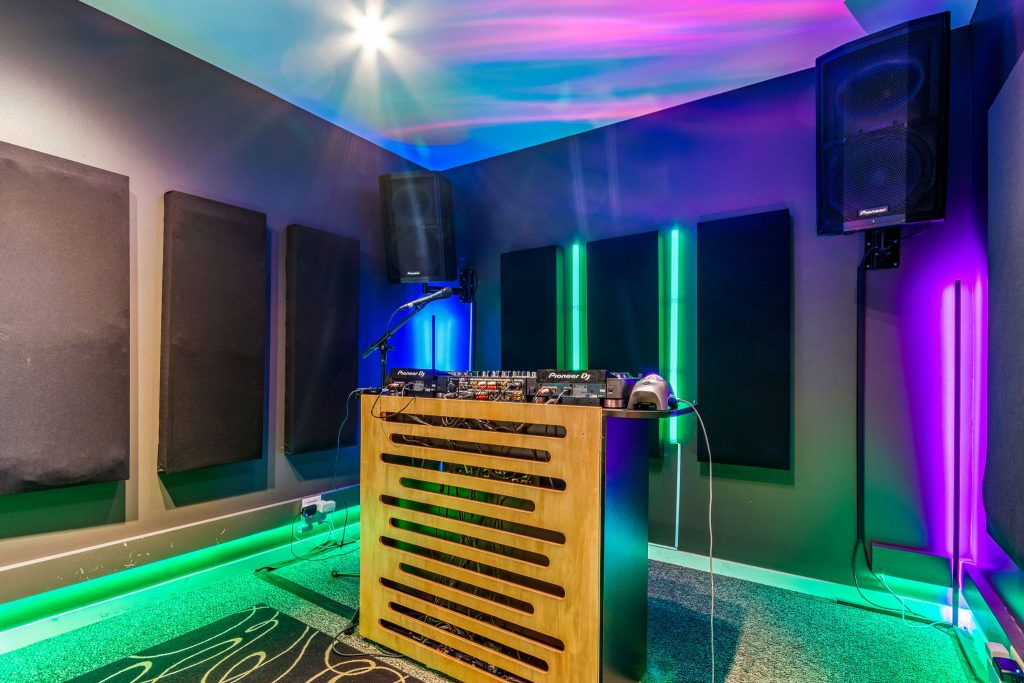
DJ Studio Quick Start: CDJ-2000NXS2s and DJM-900NXS2
Walking into a room with unfamiliar gear can feel like a lot. Here’s the short version for our DJ Studio, so you can spend your time mixing instead of hunting for the right button.
What's in the room
The DJ Studio has a Pioneer DJM-900NXS2 mixer, two CDJ-2000NXS2s, two Pioneer XPRS12 speakers and a Sennheiser e865 vocal mic on a boom stand. Bring your own headphones and laptop. If you’re connecting a laptop to the CDJs, bring a USB A to B cable too.
Step by step
- 1. Power on in order: CDJs first, then the DJM-900NXS2, then the XPRS12 speakers LAST. That order avoids pops.
- 2. Check routing: CDJ 1 on mixer channel 1, CDJ 2 on channel 2, and input selectors on CD/LINE.
- 3. Set channel faders around 3/4. Put the crossfader off (THRU), or turn it on by assigning channel 1 to A and channel 2 to B.
- 4. Set MASTER at 12 o’clock and keep the meters out of the red. Use channel TRIM to set track levels.
- 5. Load your USB, wait for “USB connecting” to clear, press USB, pick a track and press PLAY.
- 6. Pick a jog mode: VINYL for scratching, CDJ for pitch bending.
- 7. When you’re done, hold USB STOP for 5 seconds until it flashes, THEN pull your drive. Power down the speakers first, then the CDJs, then the mixer.
Quick fixes
- No sound? Check the input selectors, the channel and master faders, and whether MASTER CUE is the only thing switched on.
- Distortion? Lower TRIM and MASTER.
Who it's for
Anyone who wants to play on a Pioneer setup: DJs who spin from USB sticks, DJs who bring a laptop, and anyone who wants to try scratching or pitch bending. Bring your headphones and your music. Book a room, bring your gear, see what happens.
Ready to play? Book the DJ Studio.
Recent Posts